Sync Employee Data.
Automate Payslips.
Simplify Payroll.
Managing employee data across systems doesn’t have to be complicated.
With our BambooHR to Sage 300 integration, your HR and payroll teams stay aligned, automatically.
New hires, pay rates, class settings, and tax details flow directly from Bamboo into Sage, reducing manual work, improving accuracy, and making onboarding and payroll processing faster and easier for everyone involved.
Key Benefits of BambooHR
to Sage Integration
Sync BambooHR and Sage 300
Without the Manual Work
Quickly match BambooHR employees to Sage 300 payroll records, automatically or manually, with full control over updates in both systems.
Push Employee Data Both Ways
Send new hires from Bamboo directly into Sage 300, complete with class codes, tax details, pay rates, and more. Push Sage employee numbers back to Bamboo to keep everything aligned.
Simplify New Employee Setup in Sage
Use synced Bamboo data to pre-fill Sage 300 fields, saving time and reducing manual entry errors when setting up staff in the payroll system.
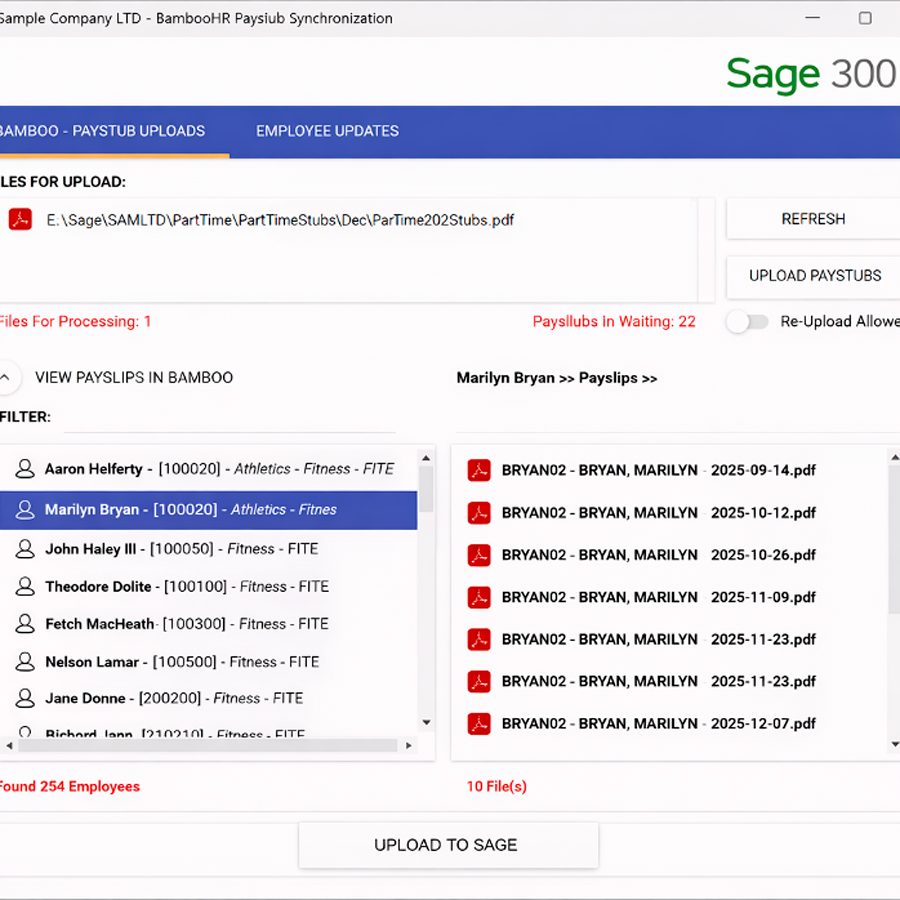
Automate Payslip Uploads to Bamboo
If you use the Orchid EFT module, generate payroll advice PDFs, auto-split them per employee, password protect them, and upload to each Bamboo profile with a click
Start in BambooHR, match to Sage 300, and sync employee data with confidence, no double entry required.
Keep BambooHR
and Sage 300 Employee Records in Sync
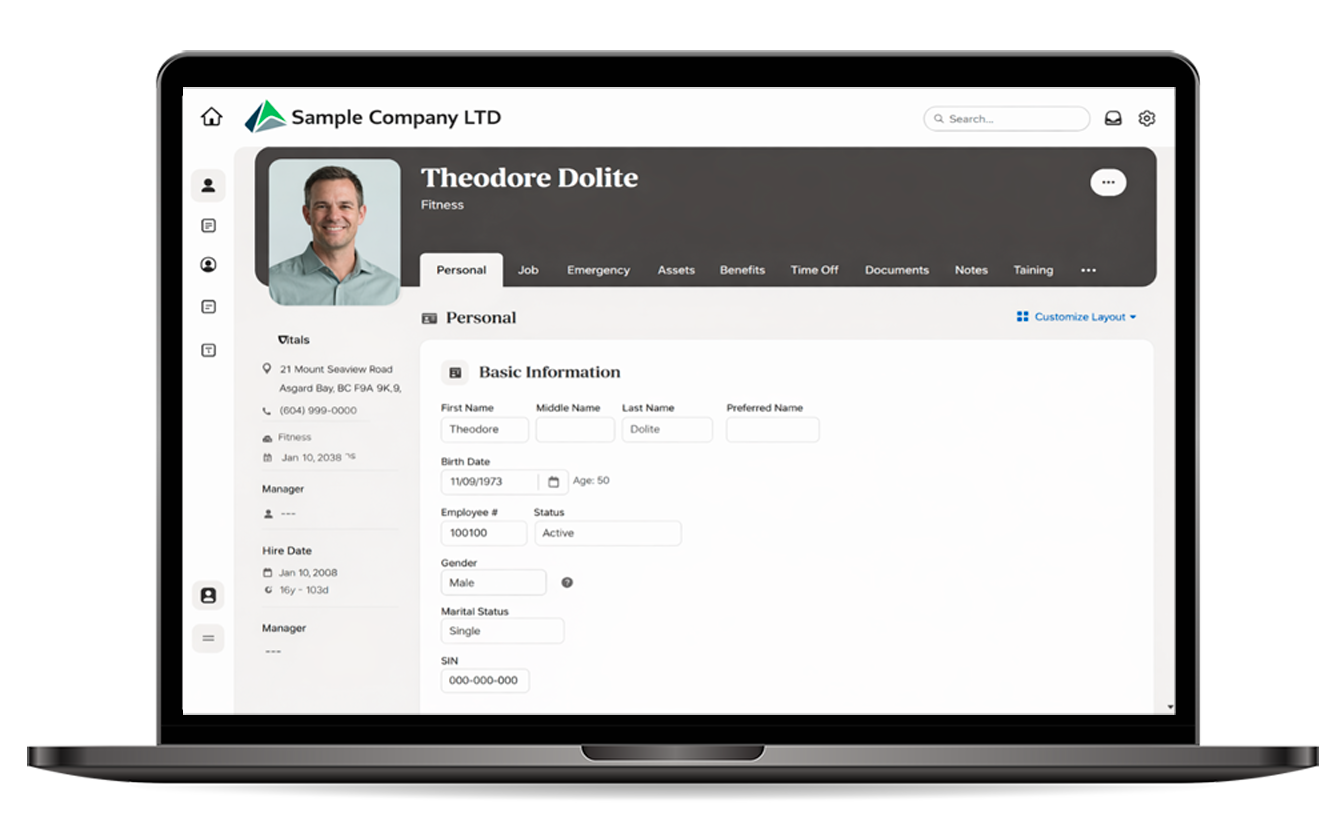
The software connects your active employees in BambooHR and finds matches in Sage 300. You can auto-match or manually link each record. Once connected, just click to push data from Bamboo into Sage, and send the Sage employee number back into BambooHR to keep both systems aligned.
Whether you’re updating pay rates, class codes, or tax info, it flows directly into Sage 300 Payroll. When onboarding new employees, the system pulls data from Sage so your records stay accurate and current.
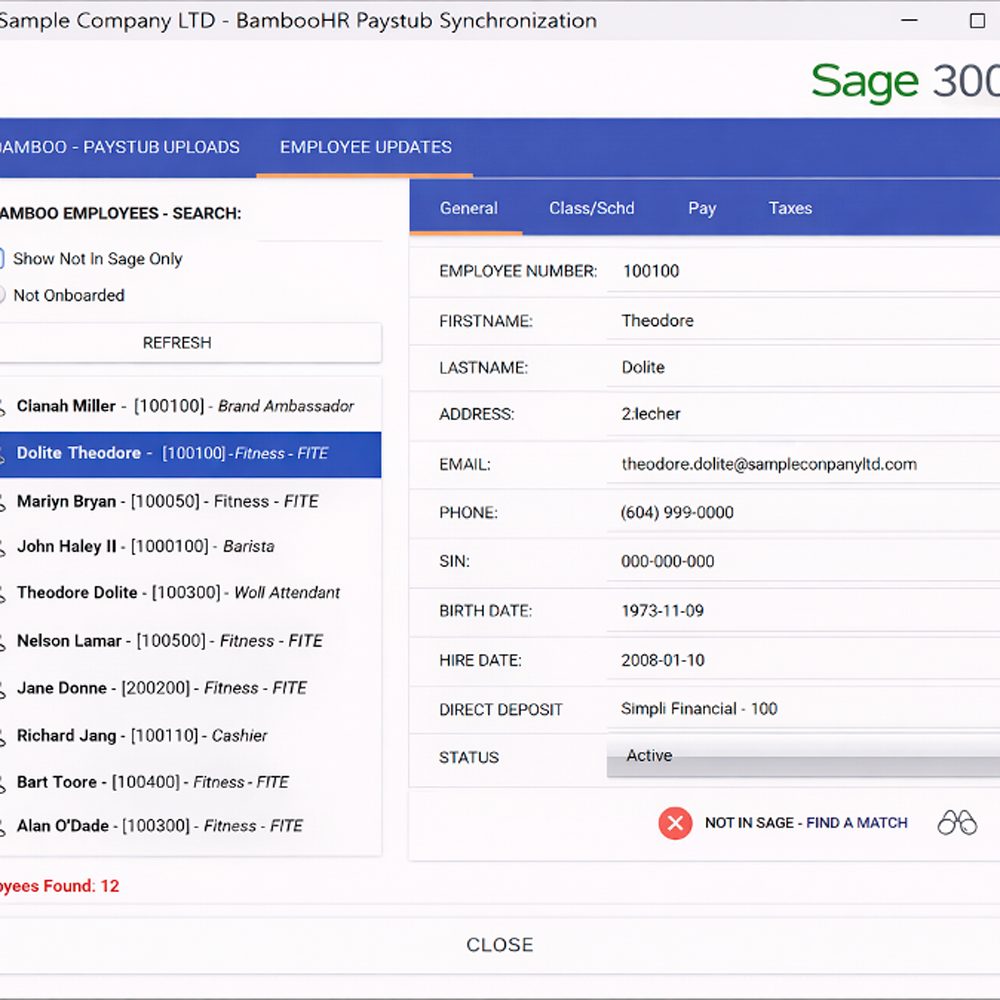
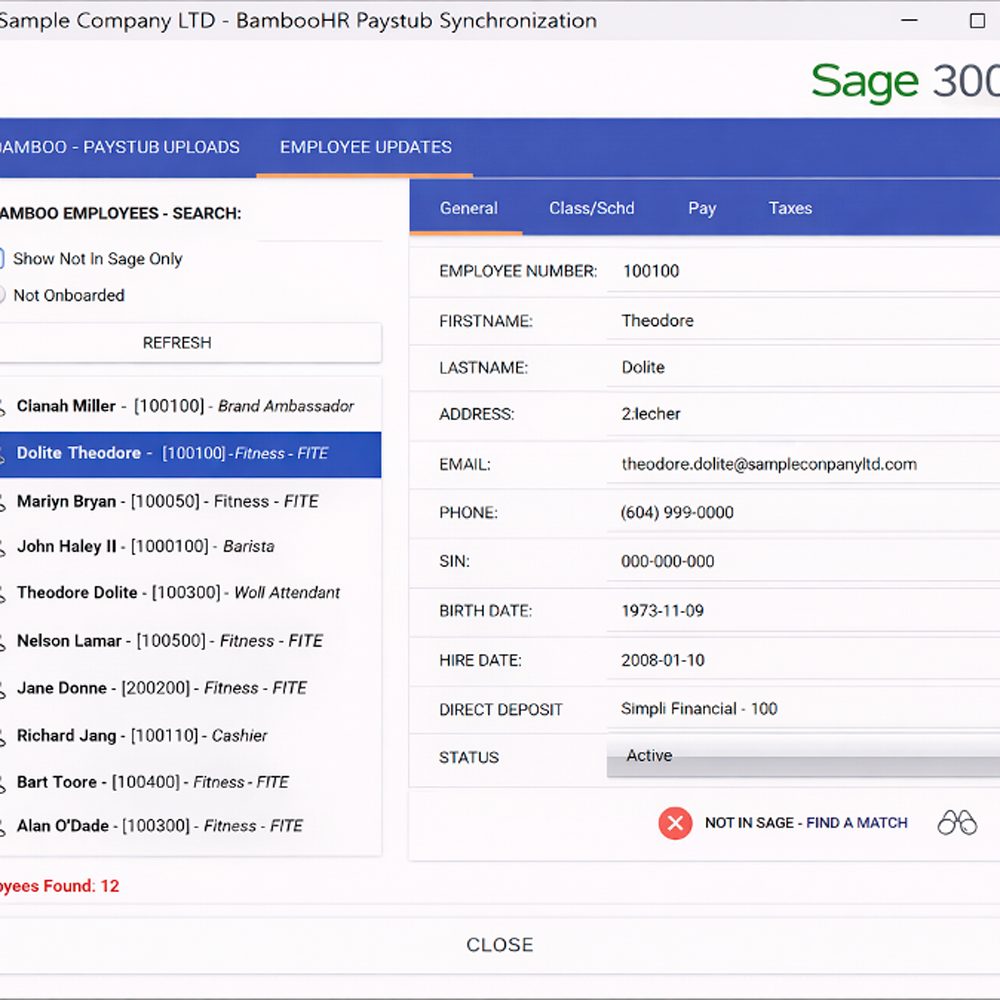
Smart Matching Between BambooHR and Sage 300
You can auto-match or manually confirm matches, push data from Bamboo into Sage, and return Sage Employee Numbers back to BambooHR.
Review and sync employee records between BambooHR and Sage 300 using a clean, user-friendly interface
Start in BambooHR, match to Sage 300, and sync employee data with confidence, no double entry required.
Synced Employee
Records in Sage 300
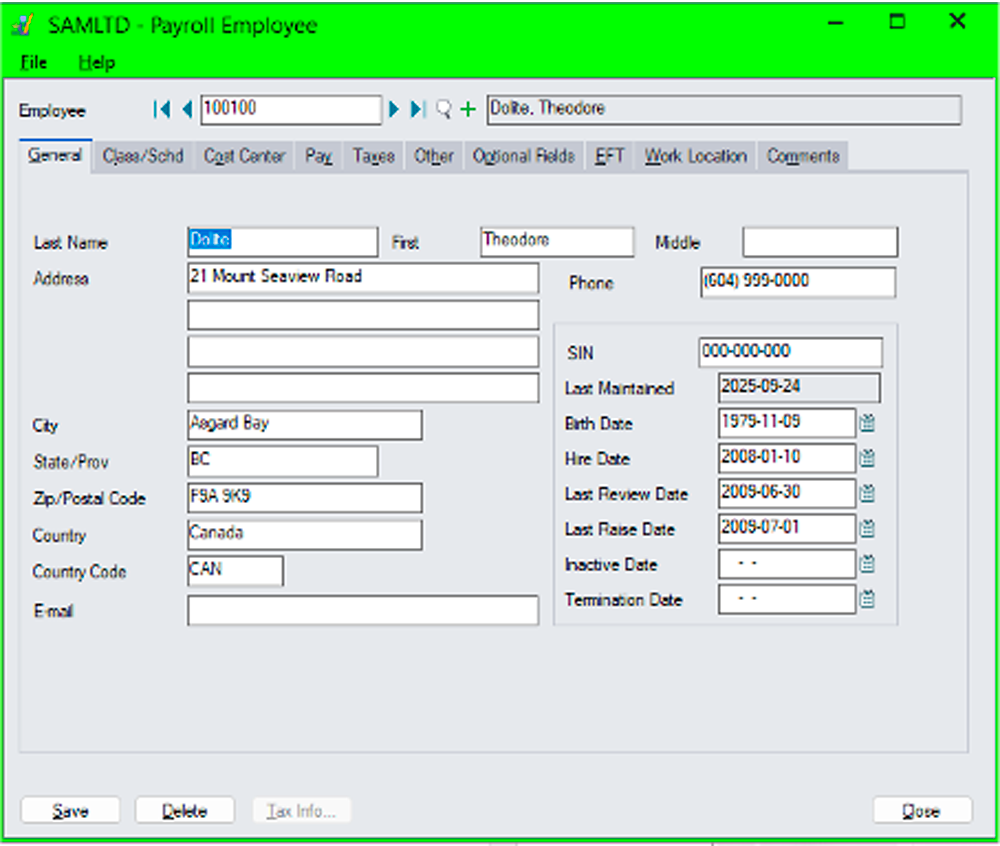
Once employee data is synced, you’ll see the updated records directly inside Sage 300.
This includes personal details, hire dates, and payroll data, all mapped from BambooHR to match your Sage 300 fields accurately.
Sync Confirmed
in Sage 300
Once employee information is matched and synced from BambooHR, it’s instantly available within your Sage 300 database.
Details like address, phone number, hire date, and SIN are pulled directly into the employee profile,accurately mapped, with no manual entry required.
Synced employee profile in Sage 300 with data transferred from BambooHR.
Automated PDF payslip upload from Sage 300 to BambooHR using the EFT module.
Automate Payroll Advices with Orchid EFT + BambooHR
If your team uses the Orchid EFT module for Sage 300, you can go even further.
After generating payroll advices, our integration automatically splits the EFT PDF file into individual employee payslips and uploads each to their BambooHR profile.
It even supports secure PDF password protection, following the same rules as your EFT module, keeping things consistent, safe, and streamlined.
Securely Delivered.
Easily Accessed.
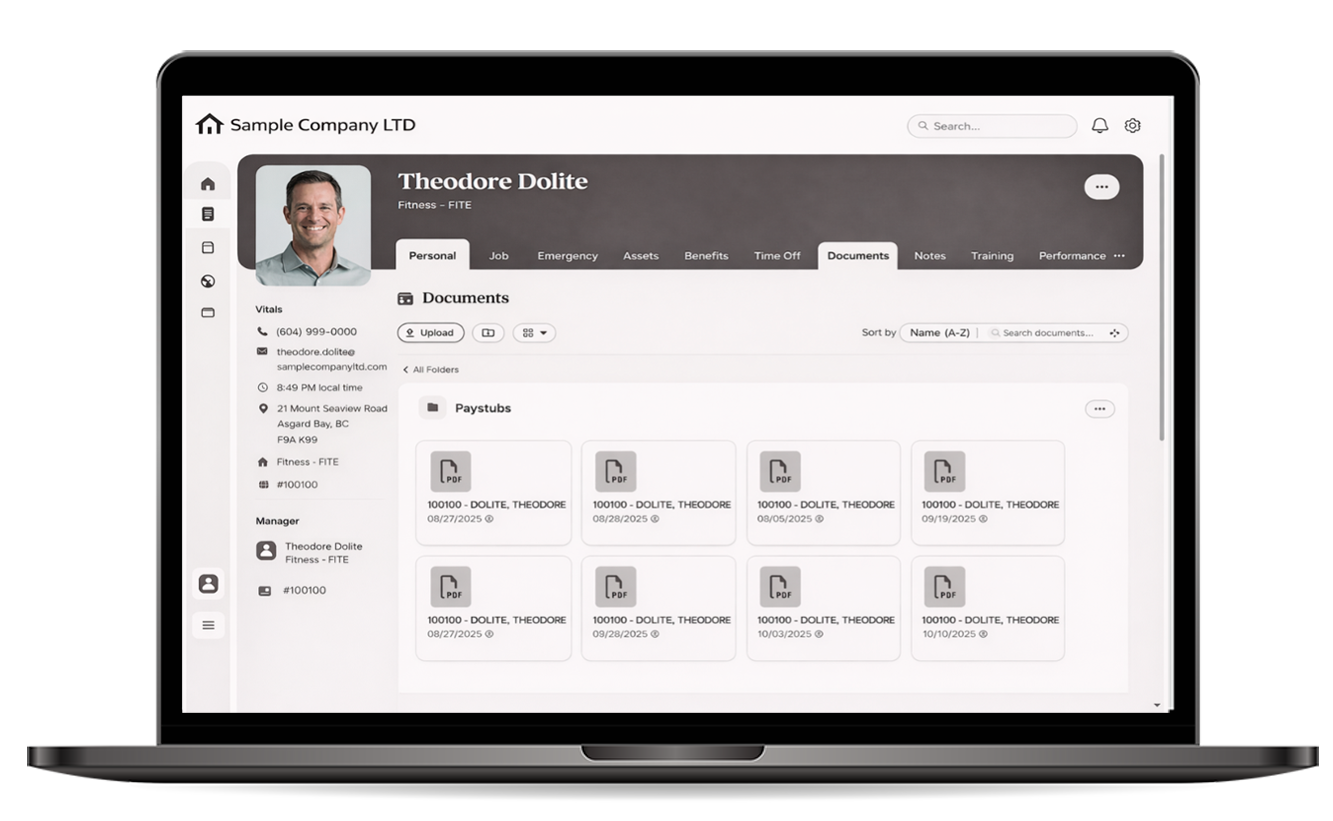
Once the payslips are uploaded, employees can access their documents directly in BambooHR under the “Documents” tab, no emails, no chasing.
Each PDF is stored in the right place, under the right profile, with filenames and dates preserved for easy reference.
It’s a simple, secure way to ensure payroll visibility for your team, without adding to your admin workload.
Why BambooHR to Sage
Just Makes Sense
| FEATURE OR TASK | BEFORE MANUAL PROCESS | AFTER WITH BAMBOOHR TO SAG ✅ |
|---|---|---|
| New Hire Setup | Re-keyed data into Sage manually | Bamboo syncs directly to Sage 300 |
| Payroll Advices Distribution | Export PDF → manually split by user | Auto-split and upload to BambooHR profiles |
| Employee Tax & Pay Setup | Manual entry in both systems | Pushed automatically from Bamboo to Sage |
| Audit Trail for Changes | No central visibility across systems | Tracked changes with synced logs |
| Employee # Linking | Not easily visible between systems | Bi-directional sync between Bamboo & Sage 300 |
| Password-Protected Payslips | Manual setup via EFT module | Auto-applies security from EFT module to Bamboo PDFs |
| Time Spent Per Pay Cycle | High (multi-step, error-prone) | Low (automated and streamlined) |

Ready to connect
BambooHR to Sage?
Expand Your ERP Toolkit with AGS
Credit Rec
- Reconcile credit card spend
- Tag transactions to GL accounts
- Manage fleet cards easily
- Post across companies in one batch
Wireless Merchant
- Manage quotes, orders & invoices
- Accept on-account customer payments
- Credit card support coming soon
- Check stock levels and pricing in real time
IC Count
- Scan or enter inventory counts
- Export or send to Sage 300
- Spot check inventory anytime
- Count by category, bin, or item easily
AGS Trial Balance
- Import Excel files with ease
- AR/AP trial balances do in no time
- Simplify GL imports
- Convert data in minutes
Licence Manager
- Cloud-based software licensing
- Manage customer identities with ease
- Seamless API integration for licenses
- Get clear insights into license usage