IC STOCK
COUNT
Smarter Inventory
Starts Here!
Fast Counts | Accurate Records | Better Decisions.
Upgrade to Smarter Inventory
with IC Stock Count for Sage 300
Fast, Accurate Inventory Management Right from Your
Mobile Device.
Sage 300 Inventory mobile app IC Stock Count makes managing inventory faster, easier, and more accurate, no matter where you are. Managing inventory doesn’t have to be time-consuming or complicated.
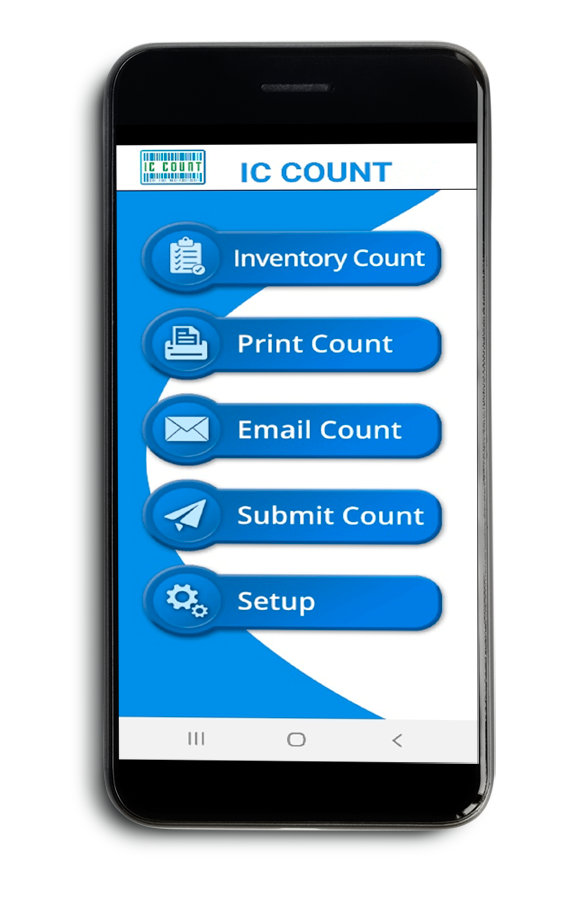
IC Stock Count is a mobile app built for Android and iOS that makes it easy to count, track, and manage stock.
Built to integrate directly with Sage 300, it gives your team accurate, real-time data to help you make smarter decisions and keep stock levels just right.it gives your team accurate, real-time data to help you make smarter decisions and keep stock levels just right.
Simplify Your Sage 300 Inventory Counts
Bluetooth Scanning and Smart Features That Simplify Every Step
Make inventory counting faster, easier, and more accurate with IC Stock Count’s advanced mobile features, built for teams who rely on Sage 300. Whether you’re doing a full stocktake or quick spot checks, IC Count helps you get it done with less hassle and more confidence.
Key Features:
- Bluetooth Scanning: Instantly scan items using Bluetooth barcode scanners.
Manual Entry: Enter data manually when needed—quick and flexible.
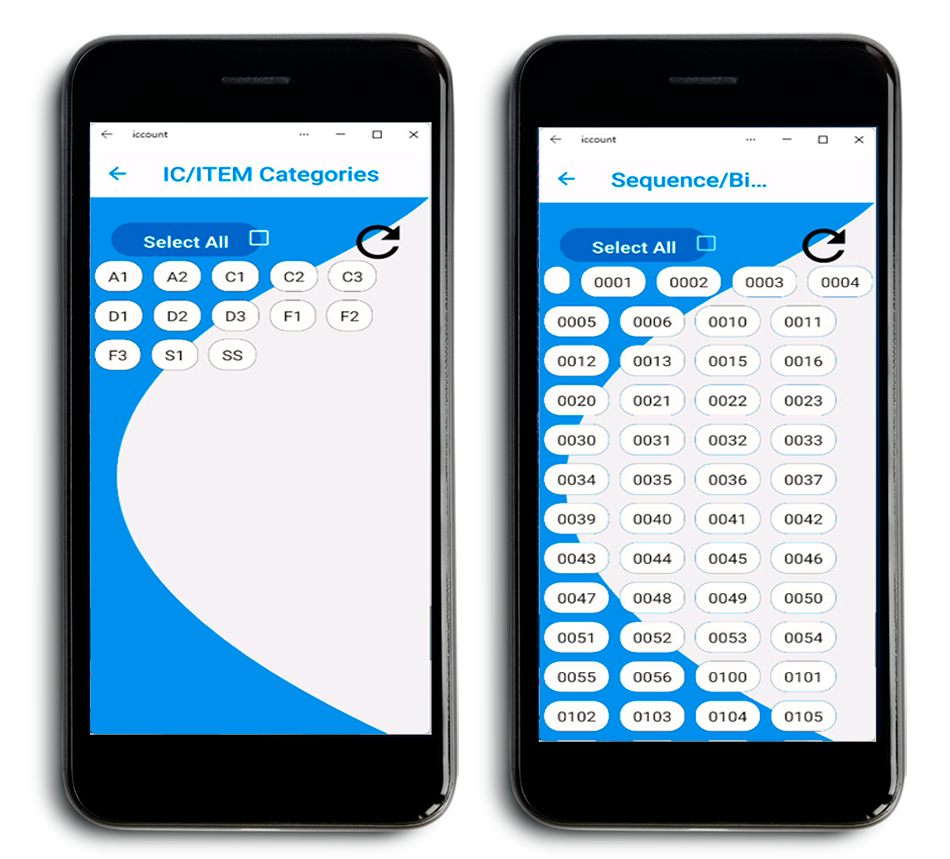
Spot Checks: Scan by category, range, or bin/picking sequence.
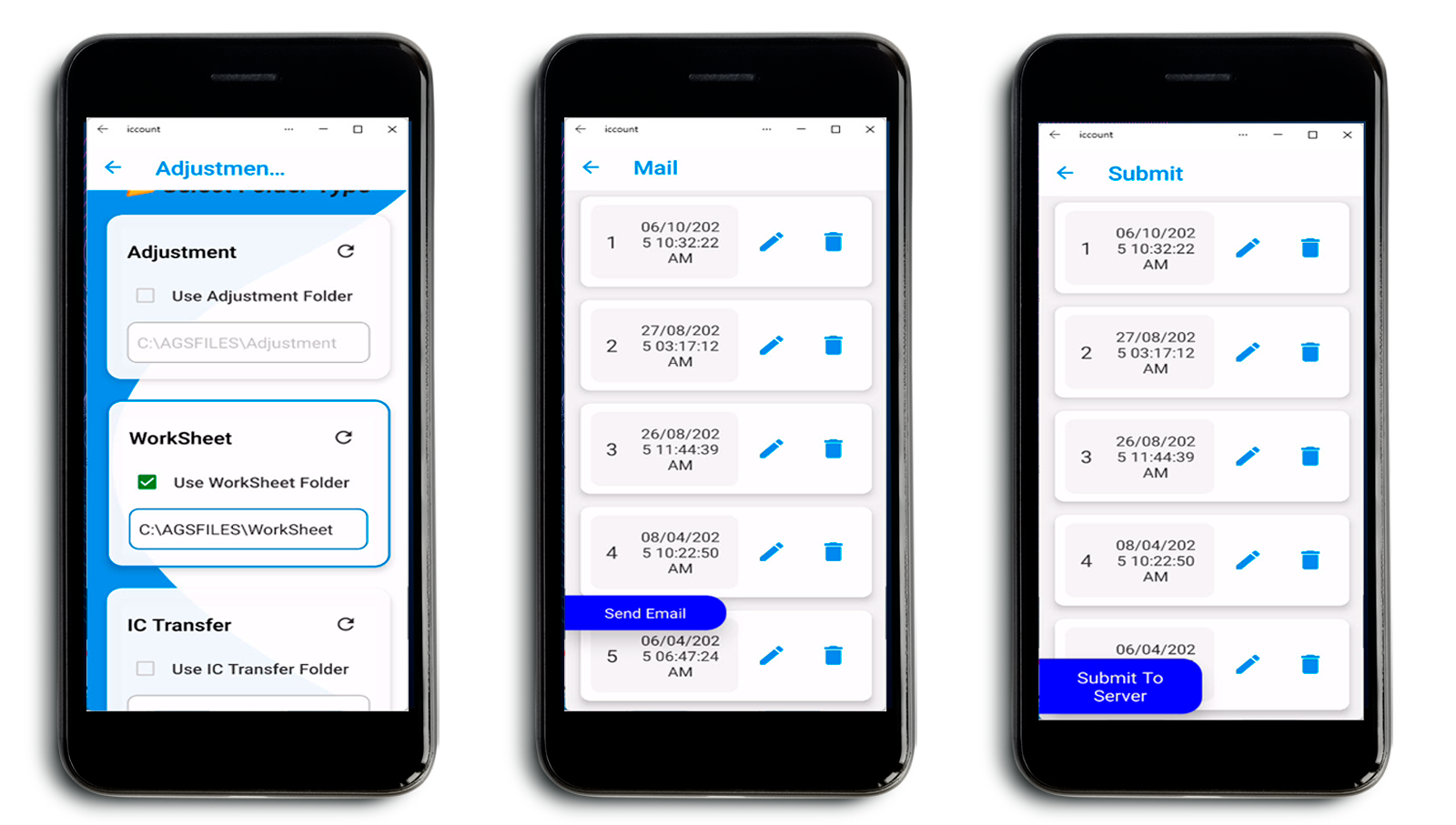
Direct Integration: Send counts directly to Sage 300’s Physical Inventory Worksheet or Inventory Adjustment Entry.
Print from Your Device: Generate and print Inventory Count Sheets on the go.
Email Excel Reports: Export count sheets to Excel and email for review.
One-Tap Submission: Submit final counts to Sage 300 for fast posting.
Mobile Stock Replenishment:
Drivers on the road can now create and send stock transfer files directly from IC Stock Count, so the warehouse can pick, pack, and prepare inventory for truck replenishment.
Real-Time Stock Control
Track Stock Anywhere
with Sage 300 Inventory Mobile App
With IC Stock Count, you can quickly scan items using a Bluetooth scanner or enter them manually, it’s completely up to you. Search by item number, description, or unit of measure, whatever works best for your workflow.
Say goodbye to long, error-prone counting sessions. IC Count makes the inventory process faster, easier, and far more accurate, so you can get the job done right the first time.

Easy Inventory Data Analysis with IC Count
Review Your Counts
& Make Smart Decisions
Once your inventory count is complete, IC Stock Count makes it easy to review and take action. Simply export your data as an Excel file and email it to yourself or your team for quick analysis and sharing.
This feature helps you spot discrepancies, adjust quantities, and identify key inventory trends, like stockouts or slow-moving items. With IC Stock Count, you get the insights you need to make smarter, faster inventory decisions.
Need to manage credit card spend too? Check out our Credit Rec solution for Sage 300 for fast reconciliation with AI-powered coding.
Accurate Inventory | Automatically Updated
Integrating with Sage 300 Inventory Management:
f you use Sage 300 for inventory management, IC Stock Count works right alongside it, making your workflow faster and more reliable. Once your count is complete, you can email a copy for review or send it directly into the Sage 300 Physical Inventory Worksheet.
This direct integration keeps your inventory records accurate and current, eliminating manual data entry and reducing the risk of double-handling errors. With IC Count, staying on top of your inventory is easier than ever.
IC Stock Count Process Flow
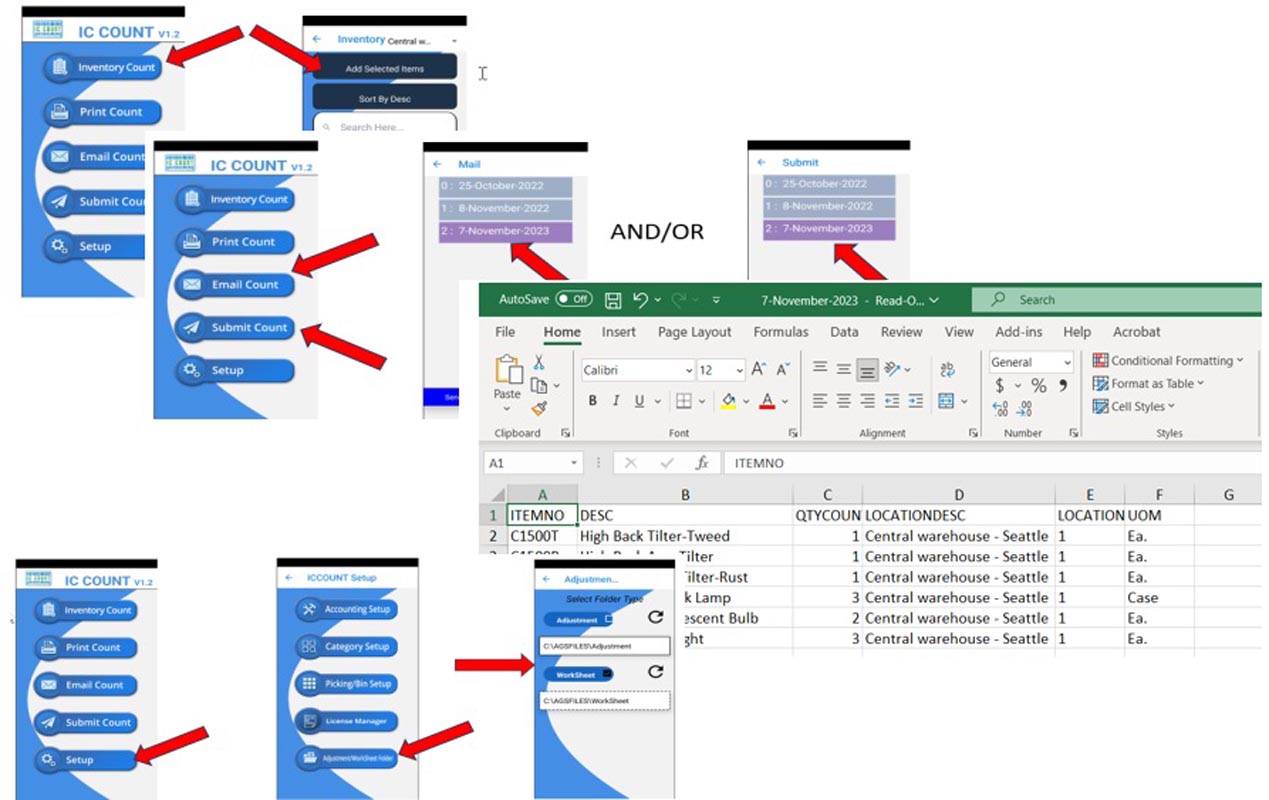
- Open Inventory Count Icon.
- Add and Count Items.
- Print, email, or review before updating Sage.
- Review or import files, then auto-submit to Sage (Adjustments or Inventory Worksheet).
- Adjustments or Worksheet upload setup in Sage

Fix Inventory Issues as You Count
Instant Adjustments for
Accurate, Reliable Stock Data
In addition to updating thе physical invеntory, IC Stock Count also еnablеs you to crеatе invеntory adjustmеnts dirеctly from thе application. If any discrеpanciеs arе dеtеctеd during thе counting procеss, you can quickly makе thе nеcеssary adjustmеnts and maintain accuratе invеntory rеcords.
This fеaturе not only savеs timе but also rеducеs thе likеlihood of invеntory inaccuraciеs that can lеad to costly mistakеs
Customize How You Count
Flexible Inventory Options
That Fit Your Workflow
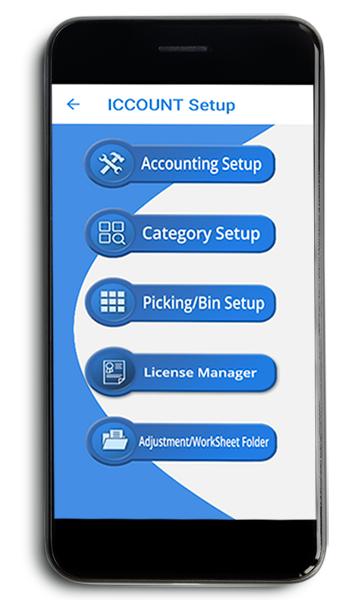
Every business counts inventory differently, and IC Stock Count is built to support that. Choose how you want to count: by category code, item number, or picking/bin sequence. The app adapts to your process, not the other way around.
Whether you’re doing full stocktakes or quick spot checks, IC Stock Count helps you get accurate results without the hassle of manual counting. It’s faster, easier, and tailored to the way you work.
Mobile Stock Replenishment for Drivers on the Road
You can now use IC Stock Count for more than just counting inventory in the warehouse.
Drivers on the road can use the app to create and send a stock transfer file straight from their mobile device.
Fast, Direct Transfers from
Field to Warehouse
The request goes directly to the server, so the warehouse team can pick, pack, and get everything ready for a quick truck replenishment.
It’s a simple, time-saving way to keep your mobile team stocked and your sales running smoothly, without the back and forth.

Inventory Control, Wherever You Are
Real-Time Stock Counts with
IC Stock Count for Sage 300
With the IC Stock Count mobile app, you can manage inventory from anywhere, on the warehouse floor, in the stockroom, or out in the field. It’s designed to give you quick, easy access to your inventory records whenever you need them.
Because updates happen in real time, your stock data stays accurate and reliable across your entire operation. No more guesswork. No more delays. Just up-to-date inventory you can trust to keep your business running smoothly.
Simplify Inventory Management with IC Count
A Complete Solution for Faster
Counts and Smarter Decisions
IC Stock Count takes the hassle out of inventory management. From fast, flexible counting to direct integration with Sage 300 and built-in adjustment tools, it gives businesses of all sizes a better way to manage stock.
Enjoy accurate inventory records, smoother workflows, and more confident decision-making—all from one easy-to-use mobile app.

Start COUNTING smarter
with IC STOCK COUNT
Credit Rec
- Reconcile credit card spend
- Tag transactions to GL accounts
- Manage fleet cards easily
- Post across companies in one batch

Wireless Merchant
- Mobile order entry for Sage 300c
- Real-time data at your fingertips
- Instant access to key info
- Stay synced with Sage 300c

Licence Manager
- Cloud-based software licensing
- Manage customer identities with ease
- Seamless API integration for licenses
- Track license usage clearly

AGS Trial Balance
- Import Excel files with ease
- AR/AP trial balances do in no time
- Simplify GL imports
- Convert data in minutes